
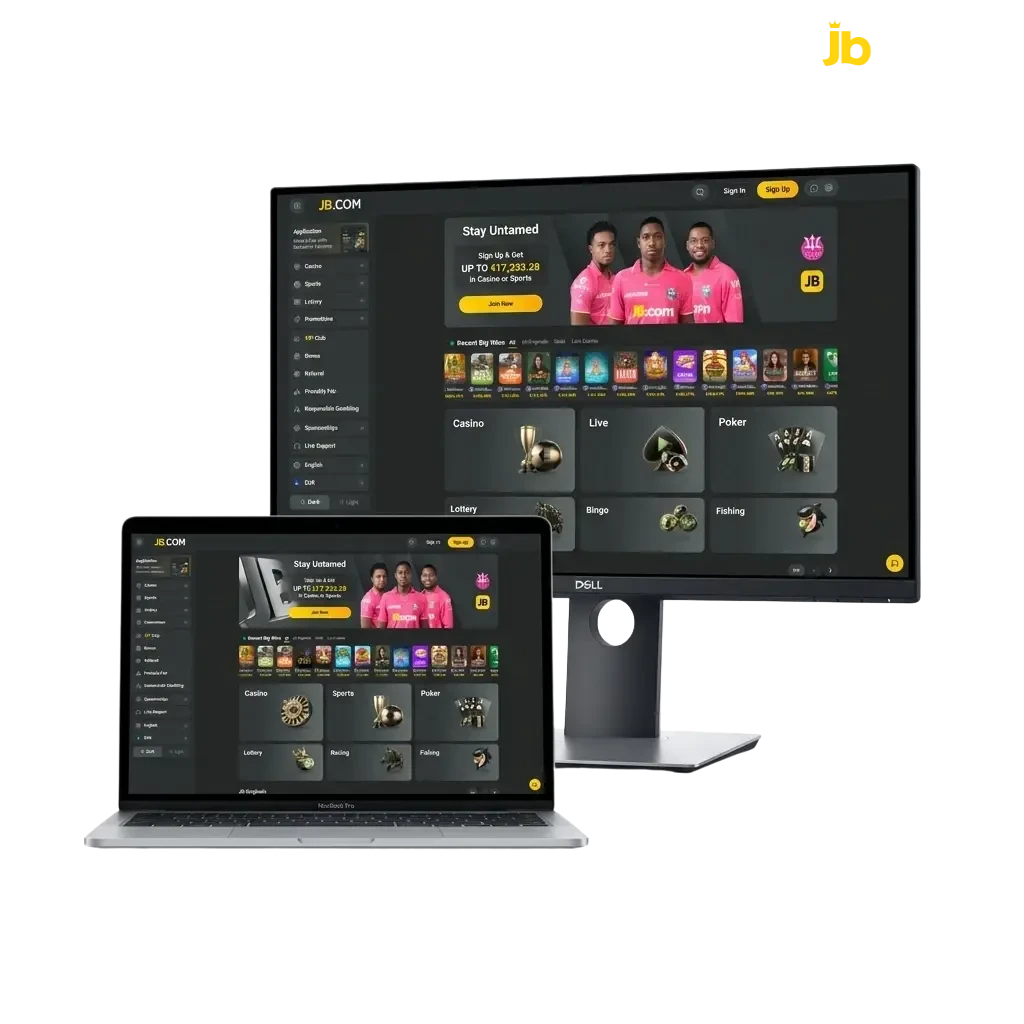
Get the installer file
Click the download button on this page to access the official Windows installer for the desktop client.

The JB Casino desktop application brings the full platform to your computer, covering slots, live casino, roulette, table games, and sports betting in one dedicated client available for both Windows and macOS. The app is free to download and delivers the same complete functionality as the web platform, with no features cut or restricted. Choosing the desktop version gives you a more stable connection, a full-screen interface, and faster response times compared to playing through a browser.
The JB Casino app for PC is a robust desktop client that outperforms browser play in three key areas: connection stability, interface responsiveness, and session consistency. Unlike a browser tab, it runs independently, loads your account directly, and keeps your session active without interruption.
PC Client Size
~150 MB
Available Languages
English, French, Dutch, German, Spanish
Category
Sports Betting, Online Casino, Live Casino, Instant Games, Game Shows, Table Games
Compatible with Windows
Windows 7, Windows 8, Windows 10, Windows 11
Compatible with macOS
macOS 10.13 (High Sierra) and above
Installing the desktop client has clear advantages for regular players, though there are a couple of minor points to consider before you proceed.
| Pros | Cons |
|---|---|
| Faster load times compared to browser-based play | Requires an initial download and installation step |
| Full-screen interface optimised for desktop use | Takes up storage space on your computer |
| Stable connection independent of browser performance | Not usable on mobile or tablet devices |
| Direct account login without managing browser sessions | |
| Access to all betting and casino options in one place | |
| Automatic session continuity without tab interference | |
| Compatible with both Windows and macOS systems |
The JB Casino app for Windows is lightweight and compatible across all major versions of the operating system, from Windows 7 through to Windows 11. Minimal system requirements mean it runs on most standard computers without any special configuration.
Click the download button on this page to access the official Windows installer for the desktop client.
Open your Downloads folder and find the JB Casino setup file (typically named JBCasino_setup.exe).
Double-click the file and follow the on-screen prompts. Accept the licence agreement and choose your preferred installation folder.
Click “Install” and wait for the process to finish. This takes under a minute on most computers.
Once installed, open the app using the desktop shortcut or from your Start menu.
Enter your account credentials to log in, or create a new account directly within the app to start betting.
The JB Casino app for PC is fully compatible with macOS devices running High Sierra (10.13) or later, covering the vast majority of Mac computers currently in use. The installation process is straightforward and takes only a few minutes.
Click the download button on this page to retrieve the official macOS version of the desktop client.
Go to your Downloads folder and open the .dmg file to mount the installer image.
In the installer window, drag the JB Casino icon into your Applications folder as prompted.
If macOS displays a security prompt, go to System Preferences, select “Security and Privacy”, and click “Open Anyway” to proceed.
Sign in to your existing account or complete a new registration directly within the app to access all casino and betting options.
Keeping the desktop client up to date ensures you have access to the latest games, betting options, and platform improvements. Updates also resolve performance issues and maintain account security.
Click the JB Casino icon on your desktop or in your applications list to launch the client.
Once the app loads, navigate to the Settings or Help section within the interface. If an update is available, you will see a notification or an “Update Available” prompt.
Click the update button and allow the process to complete. The client may restart automatically once the update is applied.
After restarting, check the version number in the Settings or About section to confirm the latest version is now installed.
Creating an account through the desktop client gives you immediate access to all casino games, sports betting markets, and any available welcome offers. The registration process is simple and takes only a few minutes to complete.
Launch the client using the desktop shortcut or from your applications folder.
On the login screen, click the “Register” or “Create Account” button. You can register using your email address or, if available, via a social login option.
Enter the required information: your name, email address, date of birth, and preferred currency. Create a secure password for your account.
Verify your email address if prompted, then log in to your new account to access the full platform and begin placing bets or playing casino games.
Downloading the desktop app is not a requirement to enjoy everything the platform has to offer. If you prefer not to install software on your computer, the official website gives you full access to all betting markets, casino games, live tables, and account management tools directly through your browser. The web platform is compatible with all major browsers and requires no additional installation or configuration. Simply visit the official site, log in to your account, and you can start playing straight away.
If you encounter any issues while using the desktop client, the support team is available through multiple contact channels to assist you promptly.
| Contact Method | Details |
|---|---|
| Live Chat | Available directly within the desktop app and on the official website, 24/7 |
| [email protected] | |
| Phone | Listed in the Contact section of the official website |
| Social Media | Reachable via the official JB Casino social media accounts linked on the website |
Yes, the app is completely free to download and install on both Windows and macOS. There are no additional fees associated with using the desktop client.
Yes, your account works across all platforms. Any balance, bonuses, and betting history are synchronised, so you can switch between the desktop app and the official website without any loss of information.
Yes, all responsible gambling features available on the website, such as deposit limits, session reminders, and self-exclusion options, are accessible within the desktop client through your account settings.
First, confirm that your operating system meets the minimum requirements. On macOS, check the Security and Privacy settings to ensure the app is authorised to run. On Windows, try running the installer as an administrator. If the issue persists, contact the support team via live chat.
Yes, all current offers, including welcome bonuses, free spins, and betting promotions, are fully accessible when you log in through the desktop client. You do not miss out on any offer by choosing the app over the browser.
Updated: